
Record the whole night
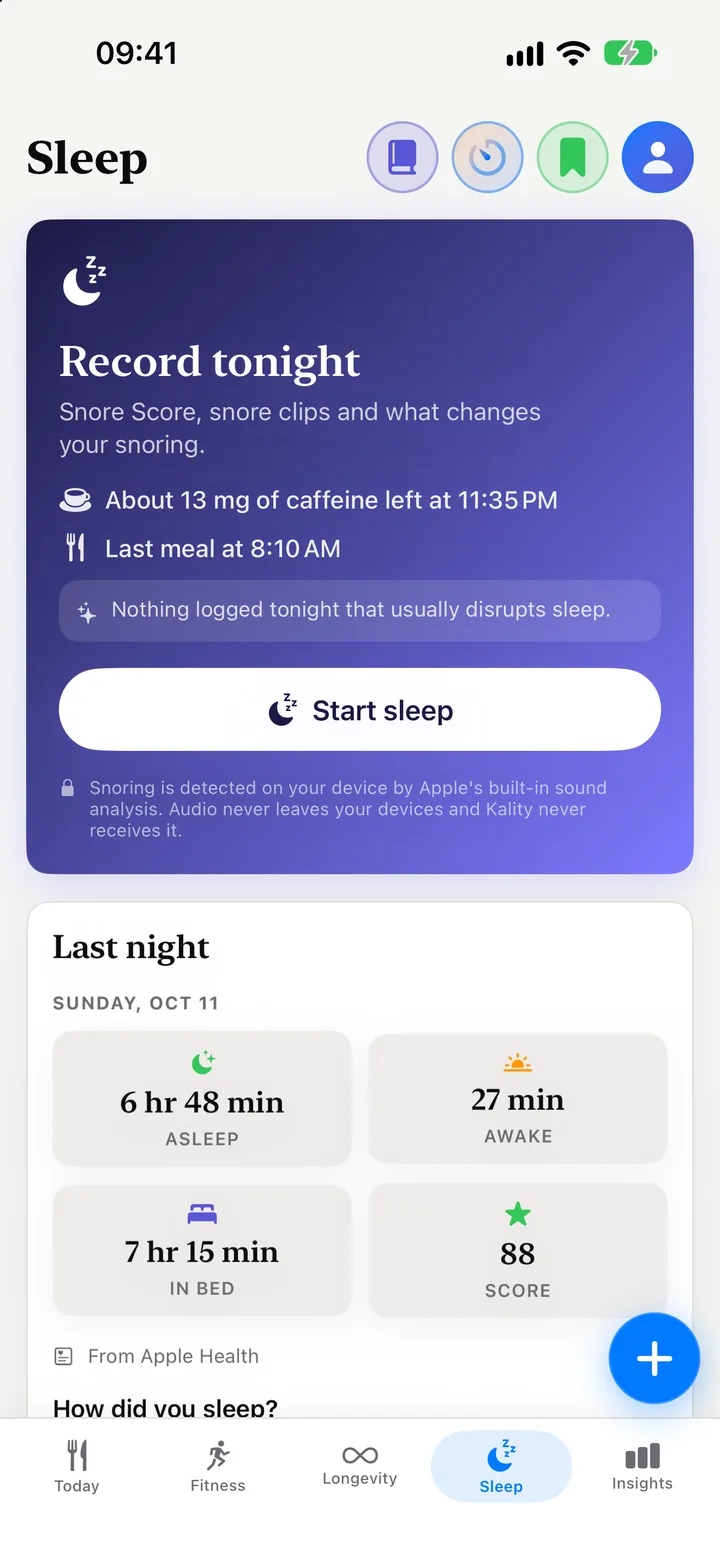
Your iPhone records from the nightstand, screen locked, all night. Start from the Sleep tab, Control Center or a Shortcut.
Free New · Listen back to your night
Put your iPhone on the nightstand. Kality records the night, marks snoring, talking and coughing, and wakes you up to your Sleep Score, your Snore Score and what your evening did to your night.
Free on iPhone. Recording and your latest night, with its score, timeline and recording, need no subscription.
On the free plan
No trial, no credit card. Record tonight and see the whole night in the morning, from the Sleep Score to the moments worth hearing.
Your iPhone records from the nightstand, screen locked, all night. Start from the Sleep tab, Control Center or a Shortcut.
Your Sleep Score and time asleep against your last 7 nights, plus time awake and in bed, from Apple Health or your own recording.
Deep, light, REM and awake on one bar for the night, with the time and share of each stage.
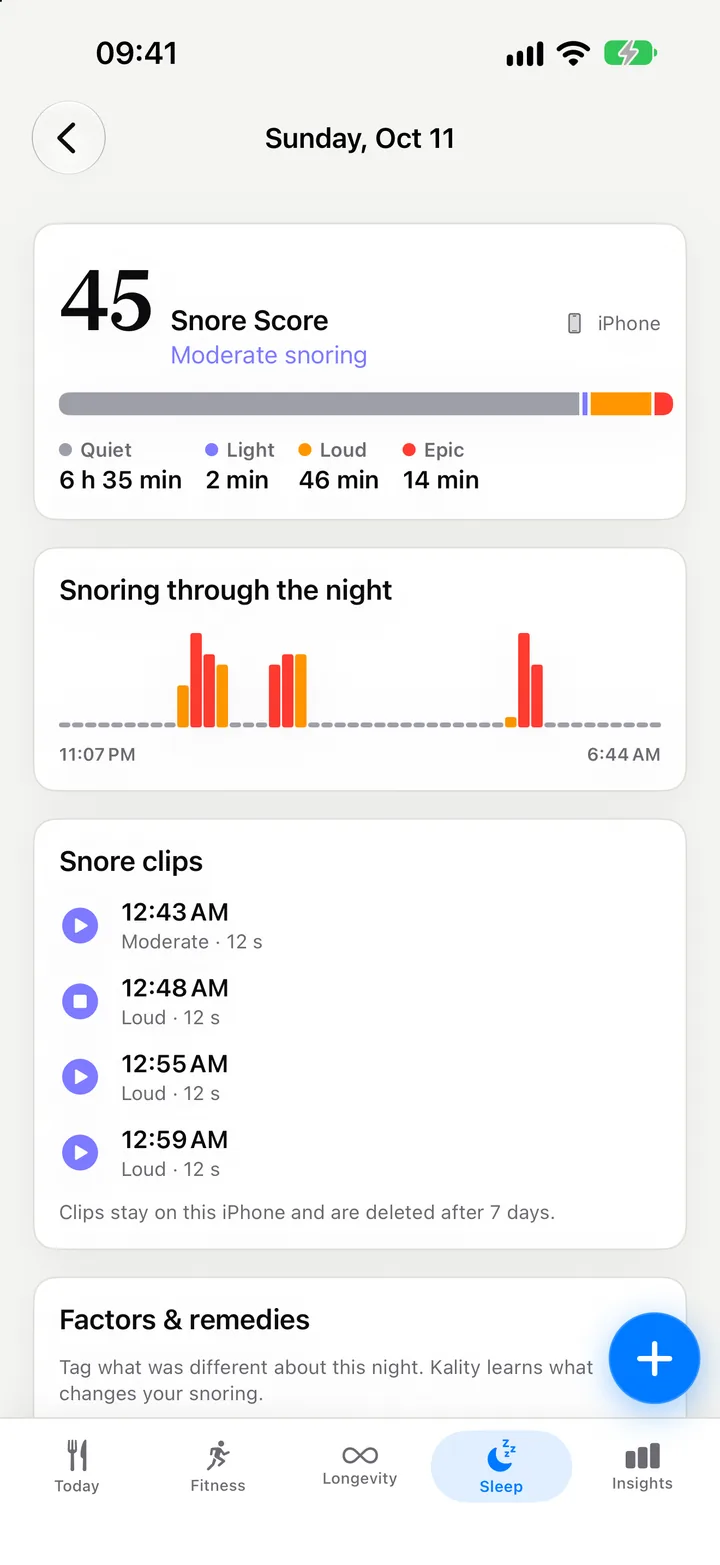
Quiet, light, loud and epic snoring minute by minute, and the night’s recording with snoring, talking and coughing marked.
Heart rate, HRV, breathing rate, blood oxygen, wrist temperature and sleep efficiency, each against your own recent nights.
Caffeine still in you at bedtime and your last meal before you sleep; late meals and alcohol from your log, and how you felt, after.
Last night
Open Kality in the morning and last night comes first: your Sleep Score, how long you slept compared with your last 7 nights, then the night itself. In the evening, the same tab leads with tonight.
One colour per stage on the night bar, and a bar for deep, light, REM and awake with its time and share of the night.
Heart rate, HRV, breaths per minute, blood oxygen, wrist temperature and sleep efficiency, each marked against your own usual.
Stages and metrics come from Apple Health, whether Apple Watch, WHOOP, Oura or another app wrote them. No tracker? Your Kality recording becomes the night.
New · Night player
Kality records the whole night, even with your iPhone locked, and finds what happened in it the next time you open the app. Every moment is marked on the night, so you can jump straight to it instead of scrubbing through eight hours.
Listening back to your latest night is free. Earlier nights and keeping a recording are part of Premium.
Snore Score
Every minute of the night is sorted by how far it rose above your room’s usual level. Loud minutes count twice, epic minutes three times, and the total is adjusted for how long you slept. A quiet night scores close to zero.
Snoring comes from your iPhone’s microphone, separately from the sleep data. A score needs at least an hour and half the night recorded, so a short recording is never called a quiet night.
Private by design
The recording is analysed on your iPhone by Apple’s built-in sound analysis. It is never uploaded, and Kality never receives it.
Only in Kality
Sleep apps don’t know what you ate. Kality does. It puts every night next to the meals and drinks before it, and tells you how sure it is. Patterns in your own nights, not proof of cause and not medical advice.
About how much caffeine is still in you at your usual bedtime, your last meal and any alcohol, before you turn the light off. Free.
A late meal, alcohol or late caffeine from your log, and how your bedtime compared with your average. Free.
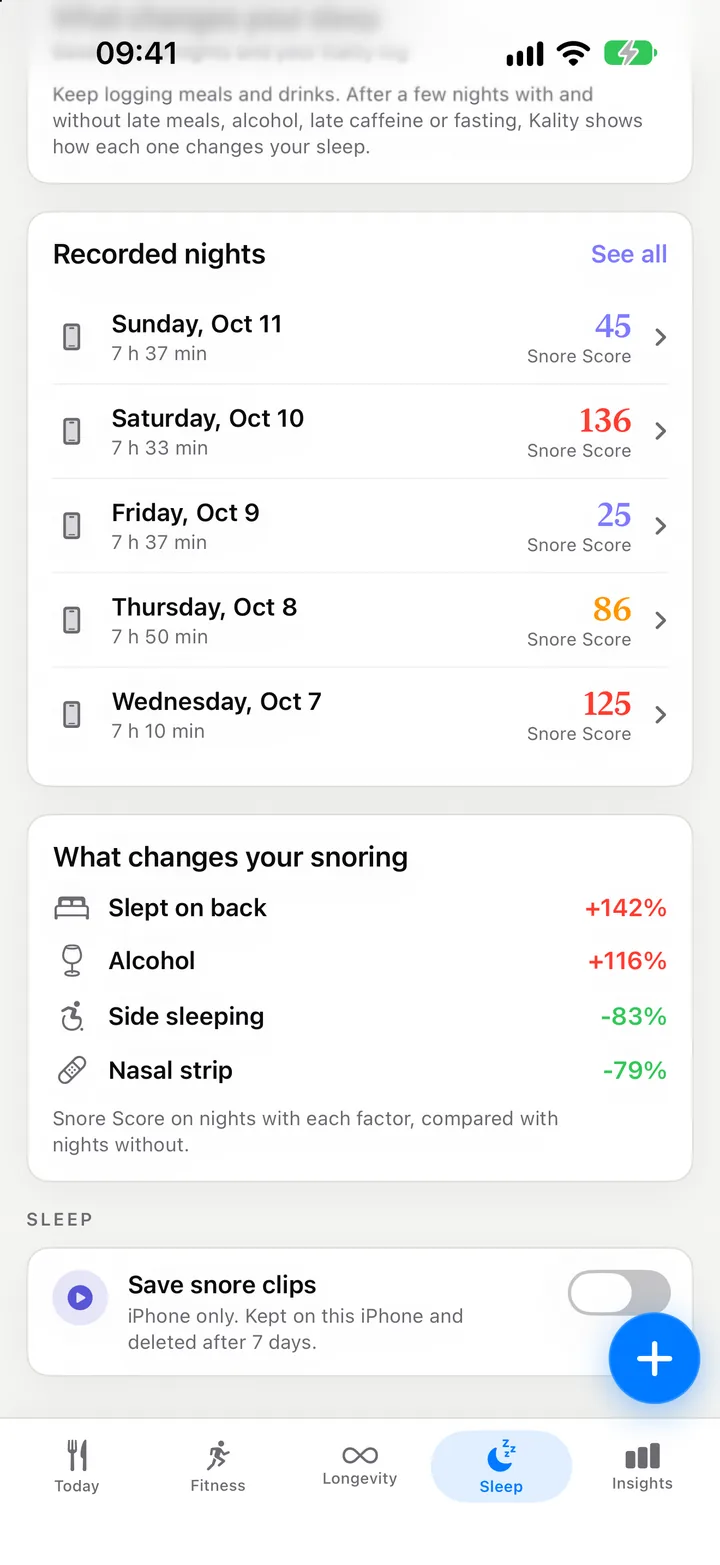
Minutes asleep and Sleep Score on nights with and without each factor, marked Collecting data, Early pattern or Consistent pattern. Premium.
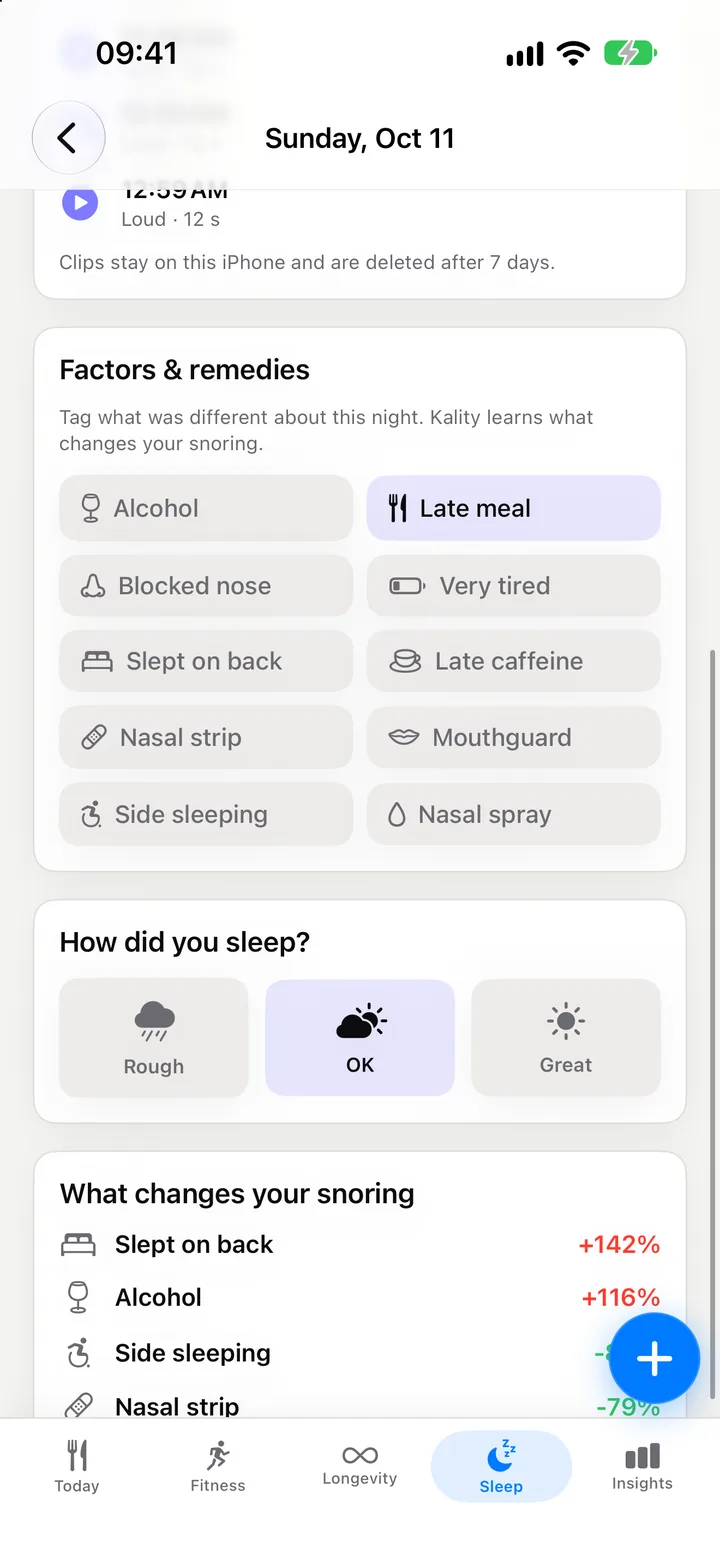
Factors & remedies
Try a nasal strip for a week, or sleeping on your side. Tag it on last night’s card with a tap, rate your morning, and Kality compares your nights with and without it. The tags you use most stay on top.
Tagging is free. Sleep insights, with 90-day consistency and what changes your snoring factor by factor, are part of Premium.
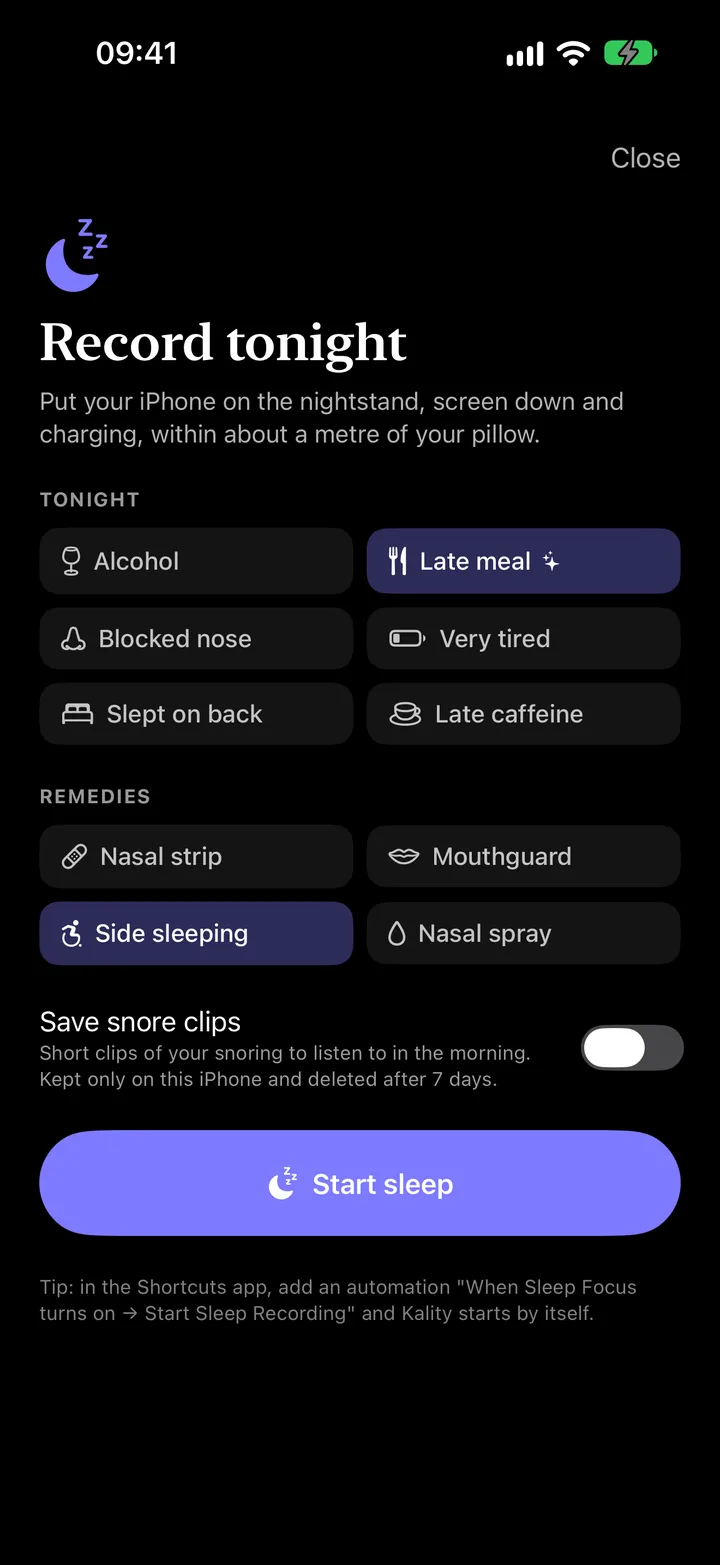
Record tonight
Screen down, charging, within about a metre of your pillow. Tap Start sleep and go to bed. In the morning, tap I’m awake; Kality finds snoring, talking and coughing in a minute or two and your night is waiting.
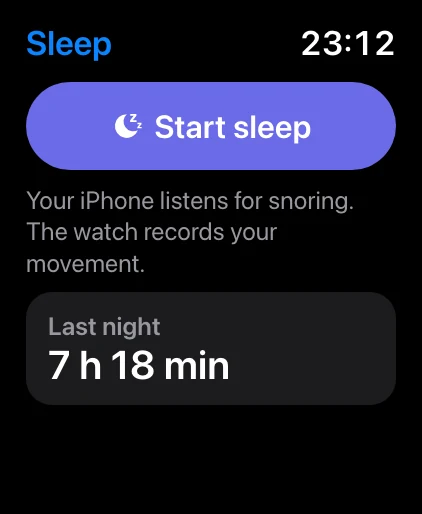
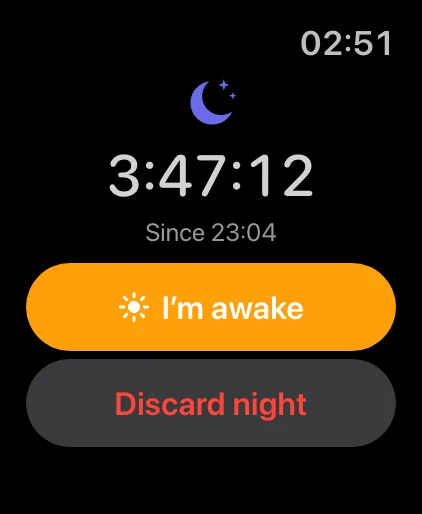
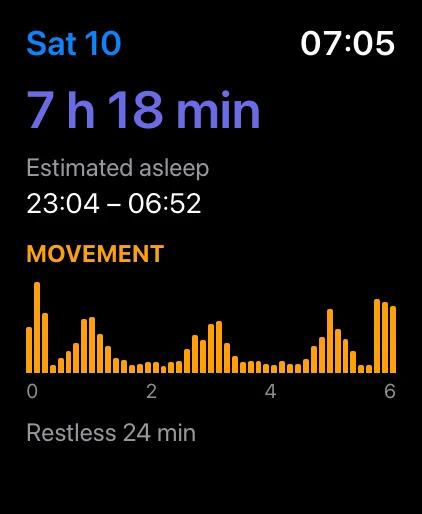
Apple Watch
Tap Start sleep on your watch and your iPhone starts recording too. The iPhone records the sound, the watch records your movement and heart rate, and Kality joins them into one night.
Recording on Apple Watch is part of Premium. On the free plan, your iPhone records the night on its own.
See Kality on Apple WatchSleep in your scores
Sleep feeds the scores you already follow in Kality, from any tracker that writes to Apple Health and from your own recordings.
10% of your Longevity Score
A Sleep pillar, from your last 14 nights: nightly sleep quality (60%), how steady your bedtimes are (25%) and your Snore Score (15%) when Kality recorded enough of the night.
Longevity Score15% of your Fitness score
A Recovery score from your sleep over the last week, plus heart rate variability and resting heart rate against your own 60-day normal.
Fitness score0 double counting
Kality reads sleep from Apple Health and never writes it back, so your Apple Watch, WHOOP or Oura nights are never counted twice.
Free & Premium
Recordings are kept for 7 days on every plan, so if you upgrade, your past week is already waiting.
Included, no subscription
For the full picture
Kality gives general wellness information. It is not a medical device and does not diagnose sleep disorders. How Kality scores your sleep
Yes. Recording your night on iPhone and your latest night are free: the Sleep Score, the timeline, key metrics, the Snore Score and listening back to that night’s snoring, talking and coughing. Tonight’s card and tagging what affected last night are free too. Premium adds earlier nights, keeping recordings past 7 days, the 7-night and 90-day trends, patterns across your nights and recording on Apple Watch.
No. The night is recorded on your iPhone and analysed there by Apple’s built-in sound analysis. Recordings are never uploaded, Kality never receives them, and they are left out of iCloud and device backups. They are deleted after 7 days unless you keep a night. Turn off Keep night recordings in Settings › Sleep and each recording is deleted as soon as it has been analysed; the Snore Score and the marked moments stay.
iOS stops Apple’s sound analysis while the iPhone is locked, but recording keeps going. So Kality records the whole night and looks for snoring, talking and coughing the next time you open the app. It takes a minute or two, and nothing is missed while the screen was off.
On your nightstand, within about a metre of your pillow, screen down and charging. Then tap Start sleep on the Sleep tab. The recording keeps going with the screen locked, and you can stop it from the Lock Screen.
A number for how much you snored, adjusted for how long you slept. Each minute of the night is sorted into quiet, light, loud or epic snoring by how far it rose above the room’s usual level. Loud minutes count twice and epic minutes three times. A quiet night scores close to 0. A Snore Score needs at least an hour and half the night recorded, so a short recording is never called quiet.
No. Your iPhone is enough to record your night and get a Snore Score. If you already track sleep with an Apple Watch, WHOOP, Oura or another app that writes to Apple Health, Kality shows that night with its Sleep Score, stages and overnight metrics, and adds the snoring on top.
With Premium, you can start and stop the night from your wrist. Your iPhone records the sound and the watch records your movement and heart rate, and Kality merges both into one night. The watch never uses its microphone.
Yes, on iOS 18 and later. Add Start Sleep Recording to Control Center, or make a Shortcuts automation such as “when Sleep Focus turns on, start sleep recording”. A Live Activity on the Lock Screen shows the recording, with a Stop button.
No. Kality is not a medical device and does not diagnose sleep apnea or any other condition. If someone notices that you stop breathing or gasp at night, or you are very sleepy during the day, talk to a doctor.
Explore Kality
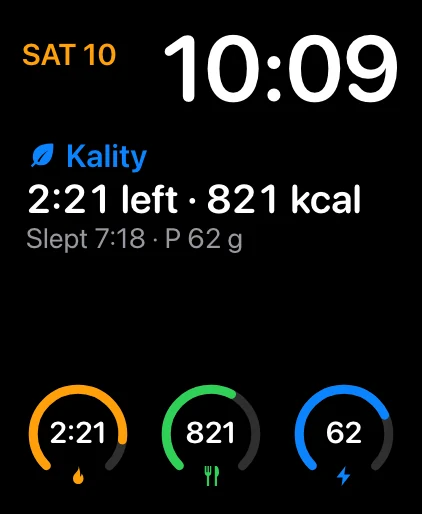 Apple Watch
Your fast, calories, protein and sleep on your wrist, with complications.
Kality on Apple Watch
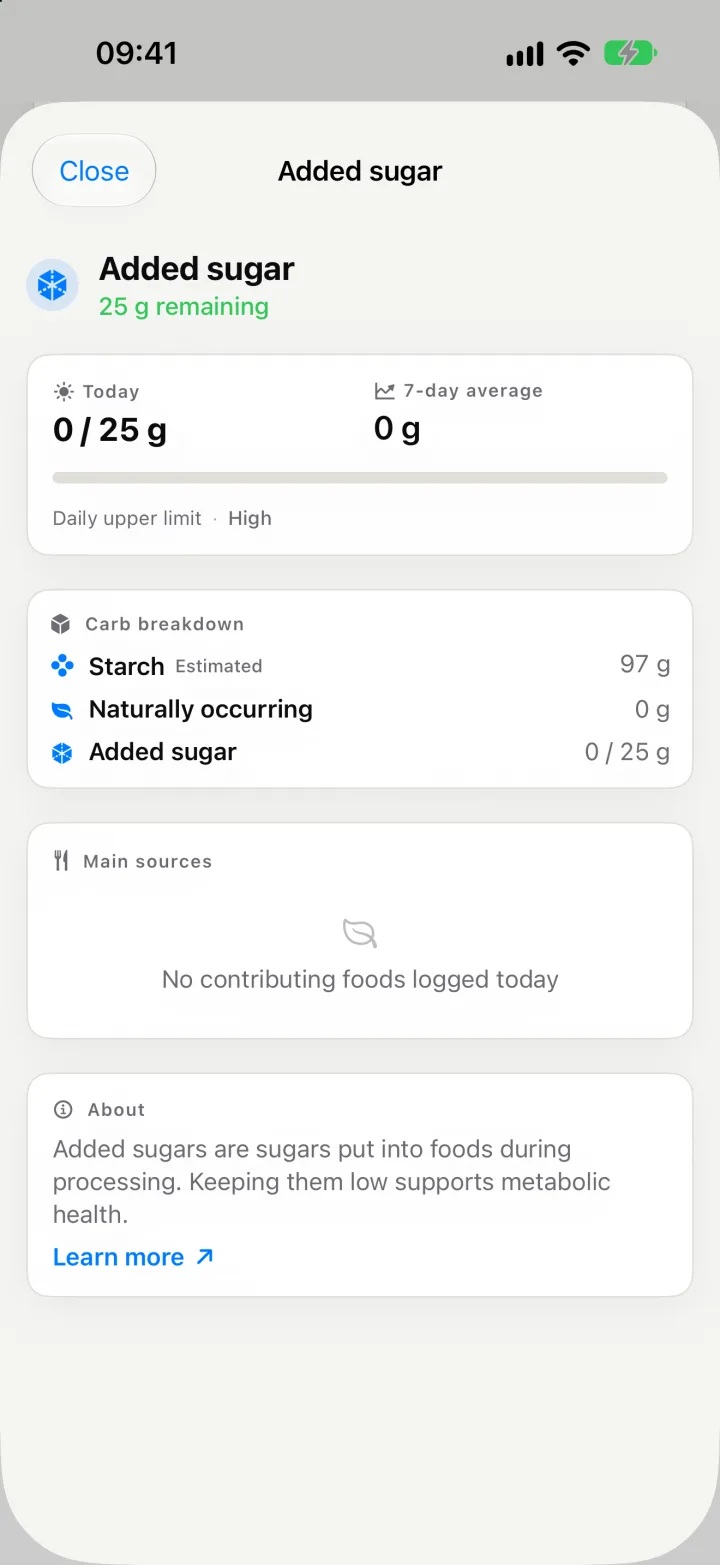 Macros & micronutrients
Over 40 nutrients per meal, from omega-3 to added sugar.
Nutrient breakdown
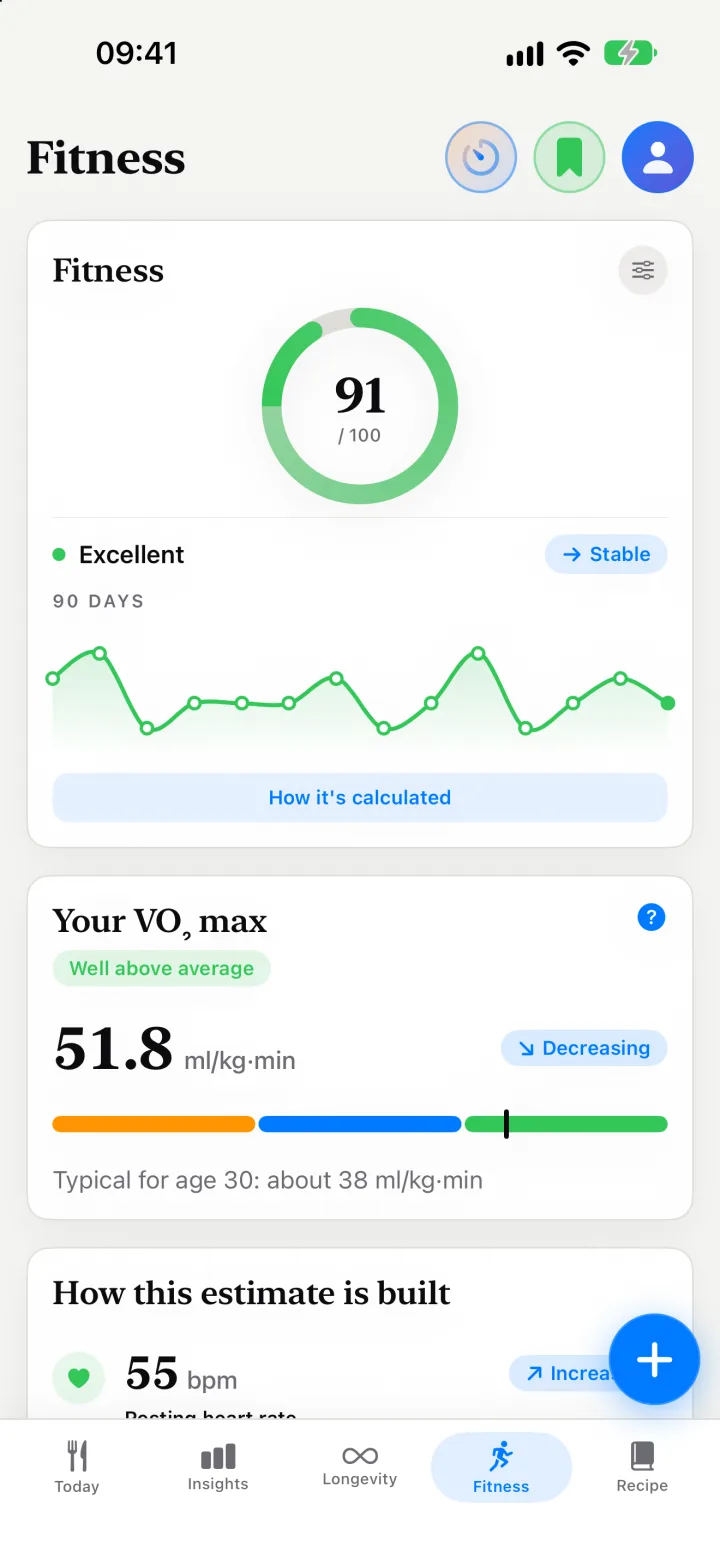 Longevity & VO₂ max
A Longevity Score, a Fitness score and an estimated VO₂ max.
Longevity Score
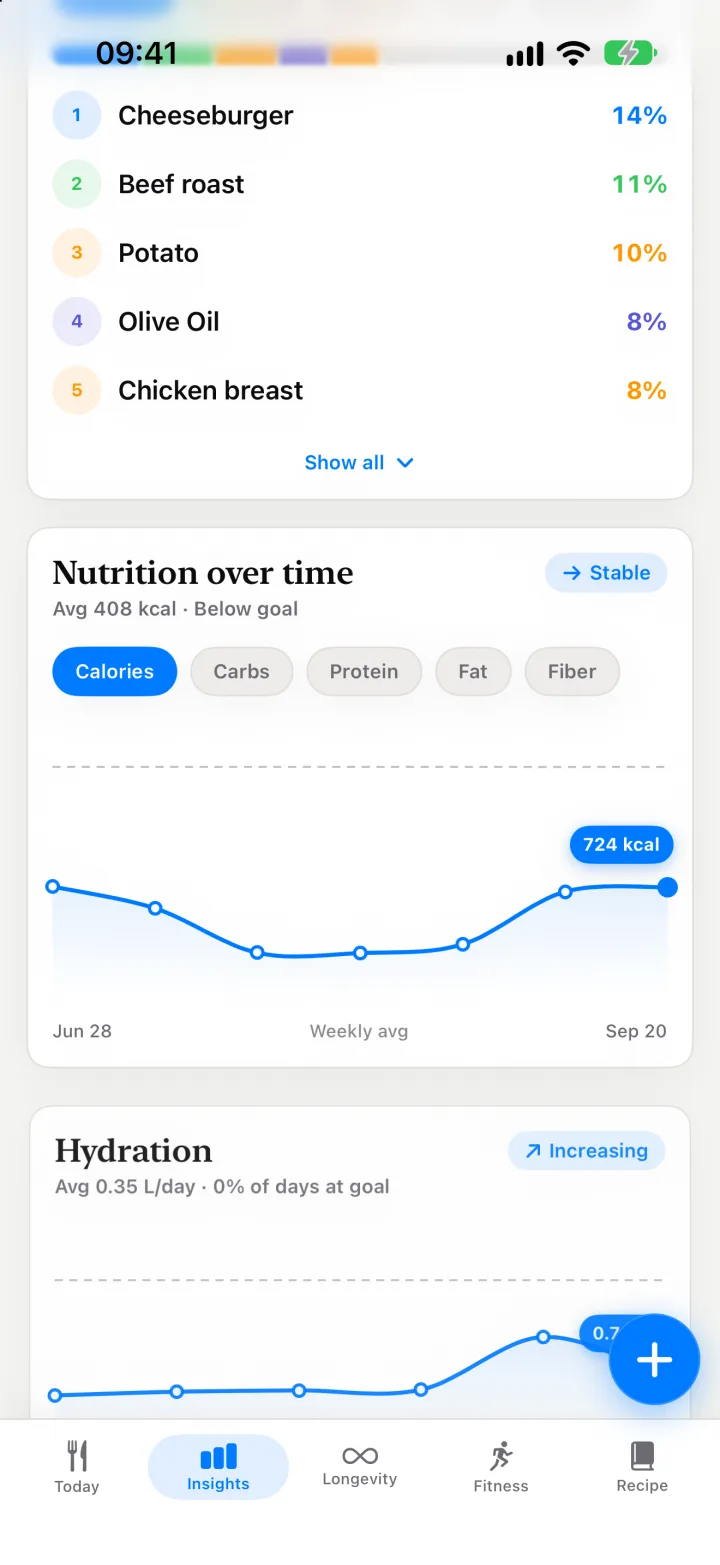 Insights
Your top foods, meal timing and nutrient gaps over weeks.
Insights
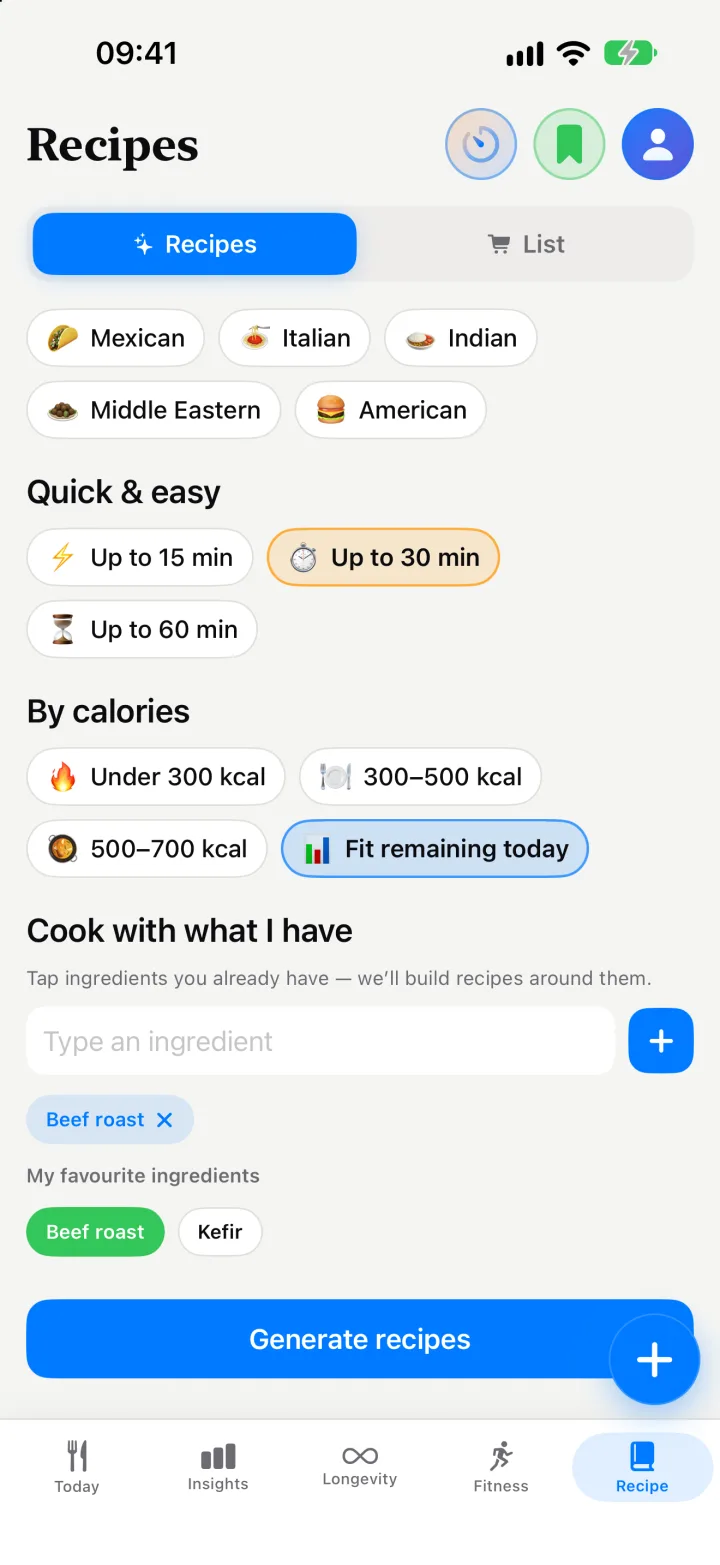
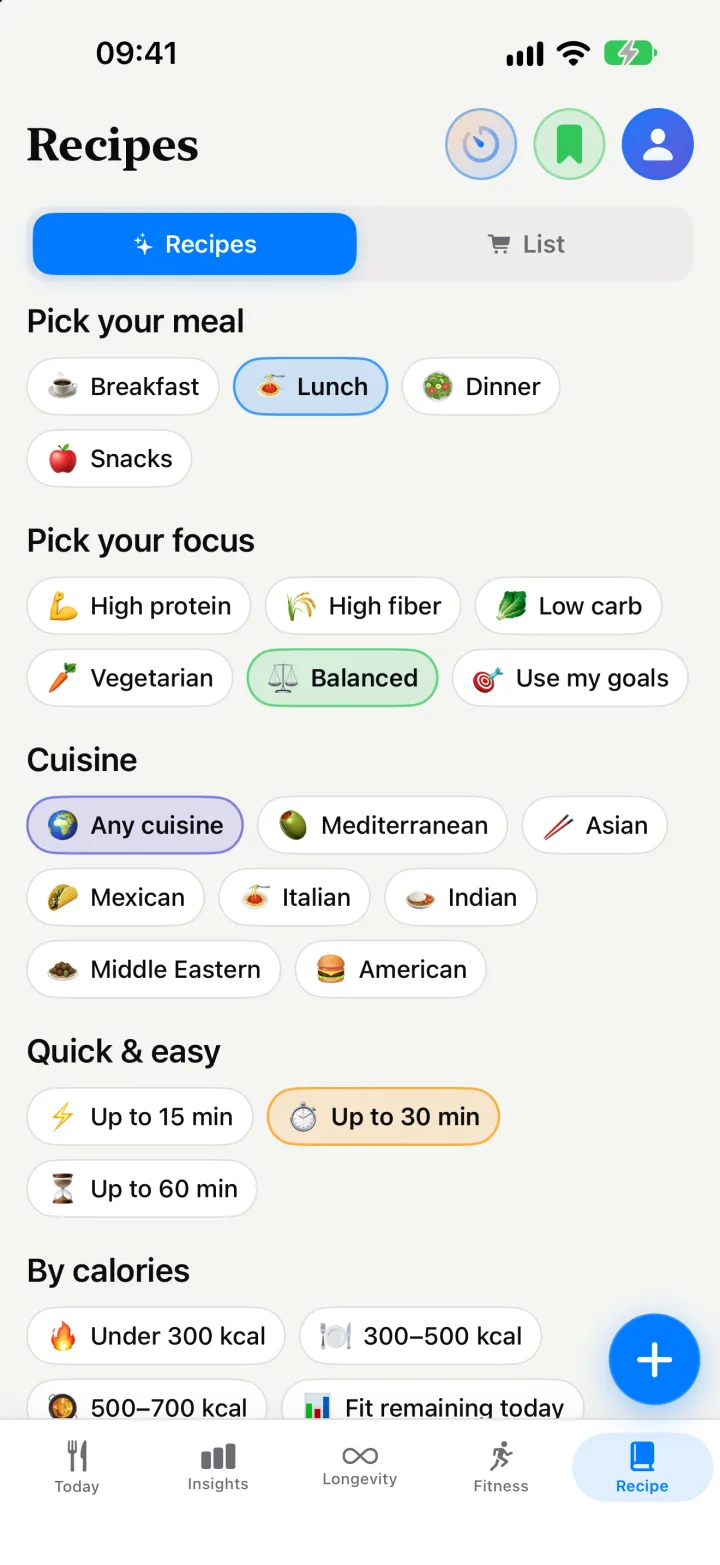 Recipes & shopping list
Recipes from what’s in your fridge, and a shared list.
Recipes
 Family
One Premium covers your partner. Share meals and a shopping list.
Kality Family
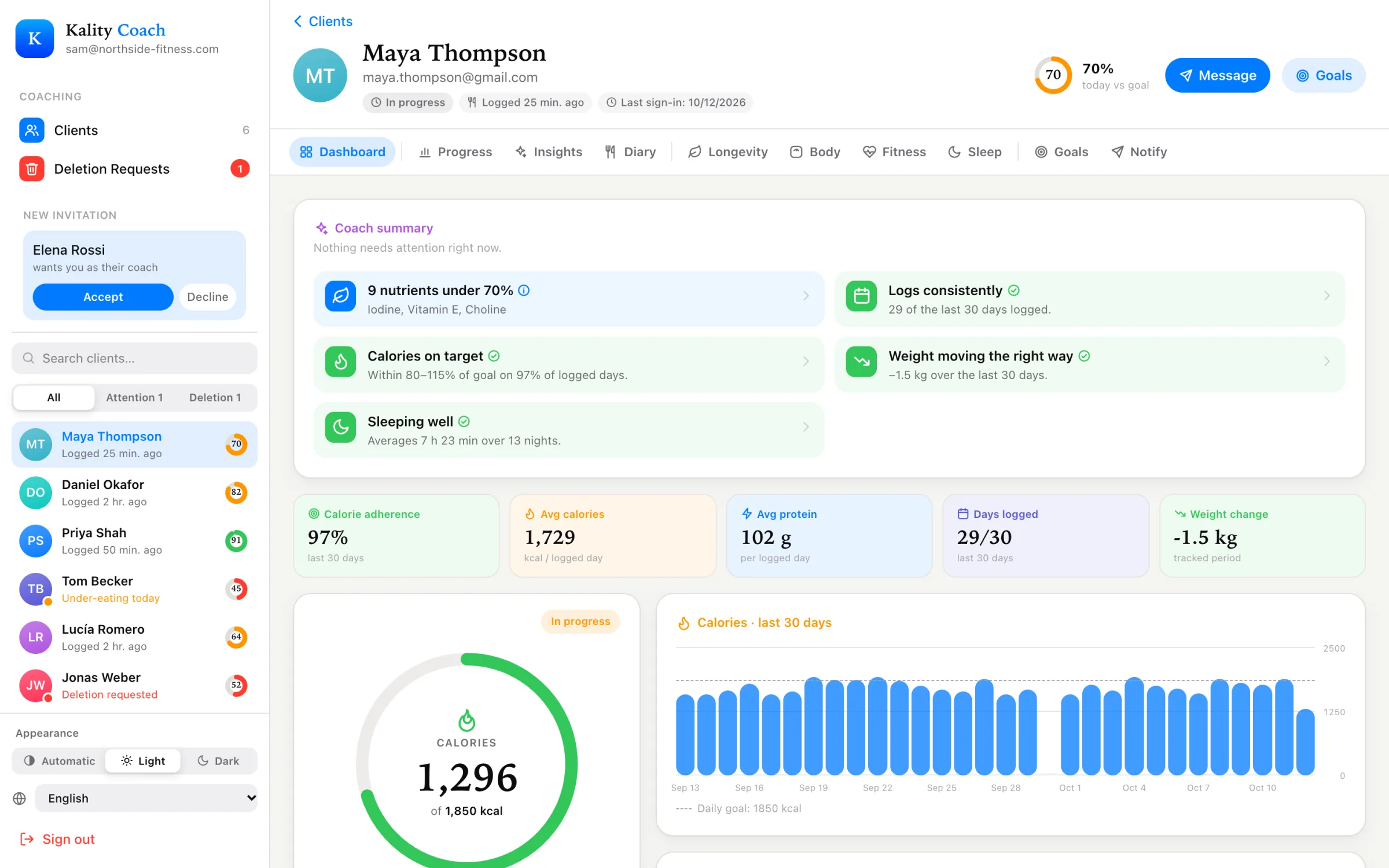 For coaches
A free dashboard for the meals and goals your clients share.
Coach dashboard