The hardest part of nutrition coaching usually isn’t knowing what to advise. It’s knowing what your client actually ate. Paper diaries get filled in from memory the night before the check-in. Photo dumps don’t tell you portions. Generic tracking apps get dropped because logging is tedious, and even when they don’t, you end up reading screenshots.
Kality solves both ends of the problem. Clients get the fastest way we know to log food: say it in one sentence. You get a private web dashboard that shows what they logged, as they logged it.
How a client connects with you
- Your client invites you. In the app they tap Invite your coach and enter your email address.
- They agree to share. The app spells out what you’ll see: food, body measurements, activity and sleep, and their Longevity and Fitness scores. Advanced health metrics are a separate, optional opt-in.
- You accept. You get an email and accept the invitation. The first time, you agree to Kality’s data-protection terms.
- Their dashboard is ready. The client appears in your list, and their meals, trends and goals are one click away.
The dashboard is free for coaches. Clients need Kality Premium to connect, and each client can be connected to one coach at a time.
The client list: see who needs you today
Your sidebar lists every client with a ring showing today’s intake against their calorie goal. Search by name, and use the Attention filter to show only clients who are below 60% of today’s calorie goal. It’s a quick way to spot someone who has skipped meals, stopped logging, or is under-eating before a heavy training block.
Nine tabs, one client
| Tab | What you see |
|---|---|
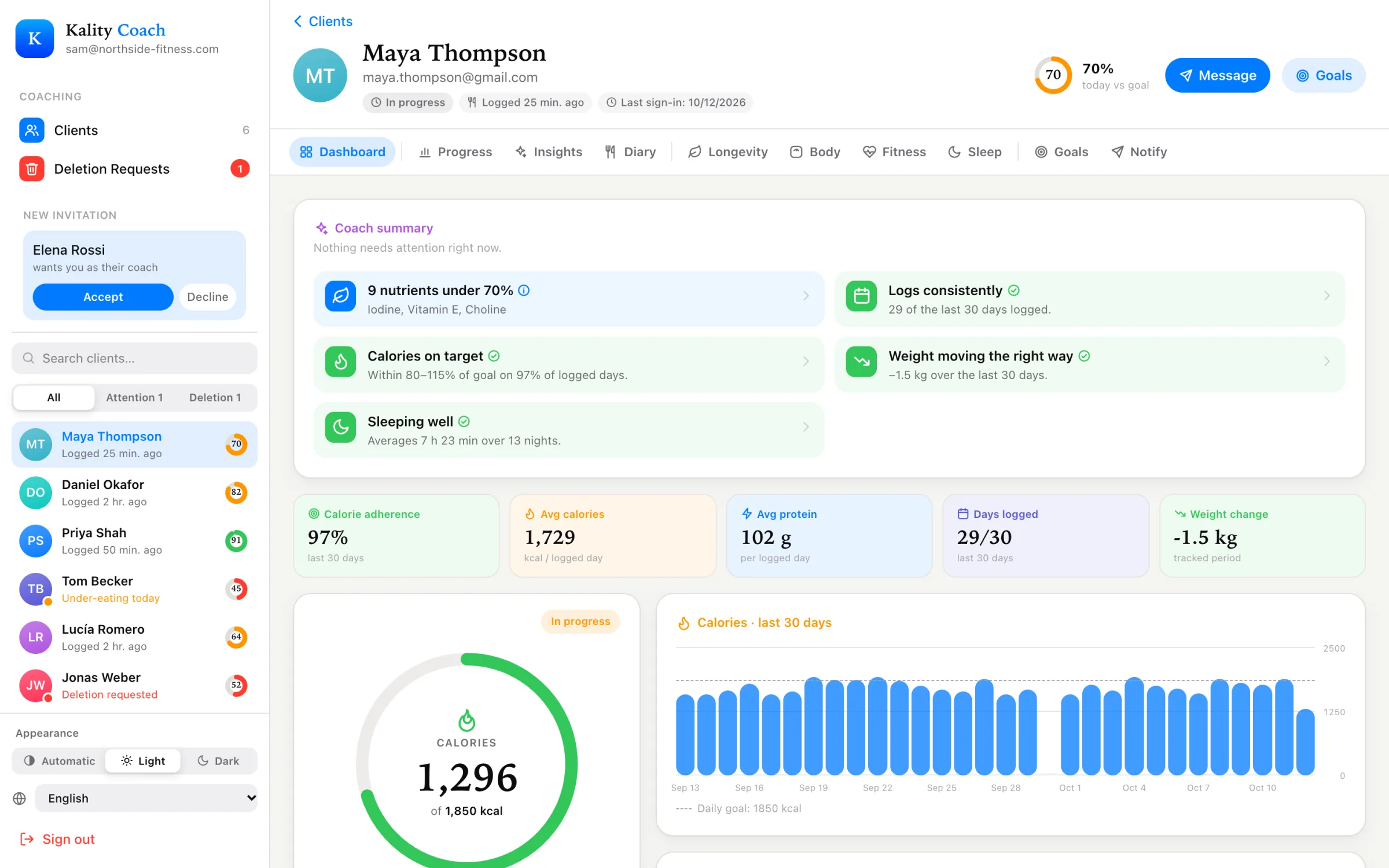
| Dashboard | 30-day calorie adherence, average calories and protein, days logged, weight change, today’s intake and macro balance, top calorie sources and nutrients to watch over 90 days. |
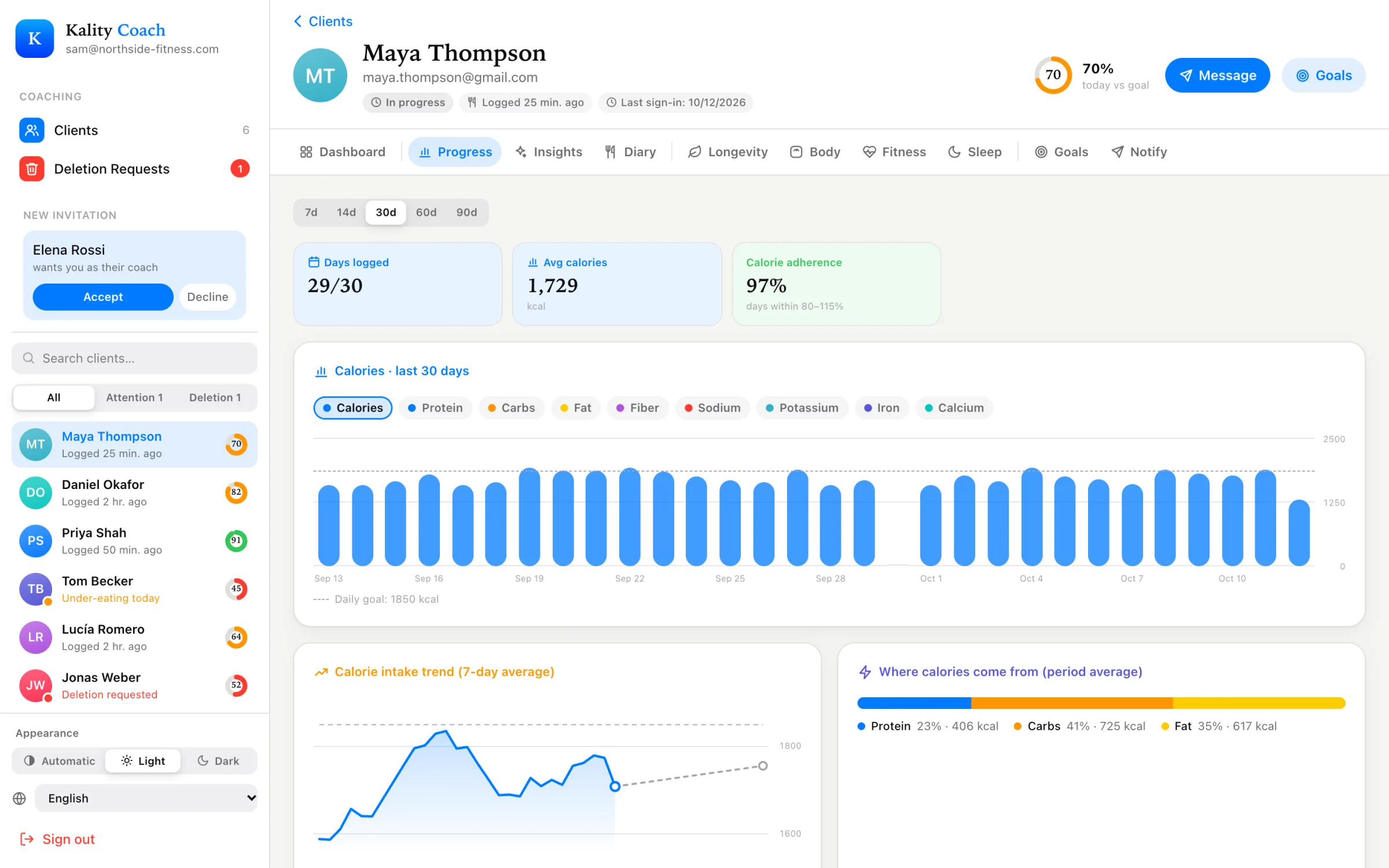
| Progress | 7 to 90 days of calories, macros, sodium, potassium, iron and calcium against their goals, plus the weight trend and estimated goal date. |
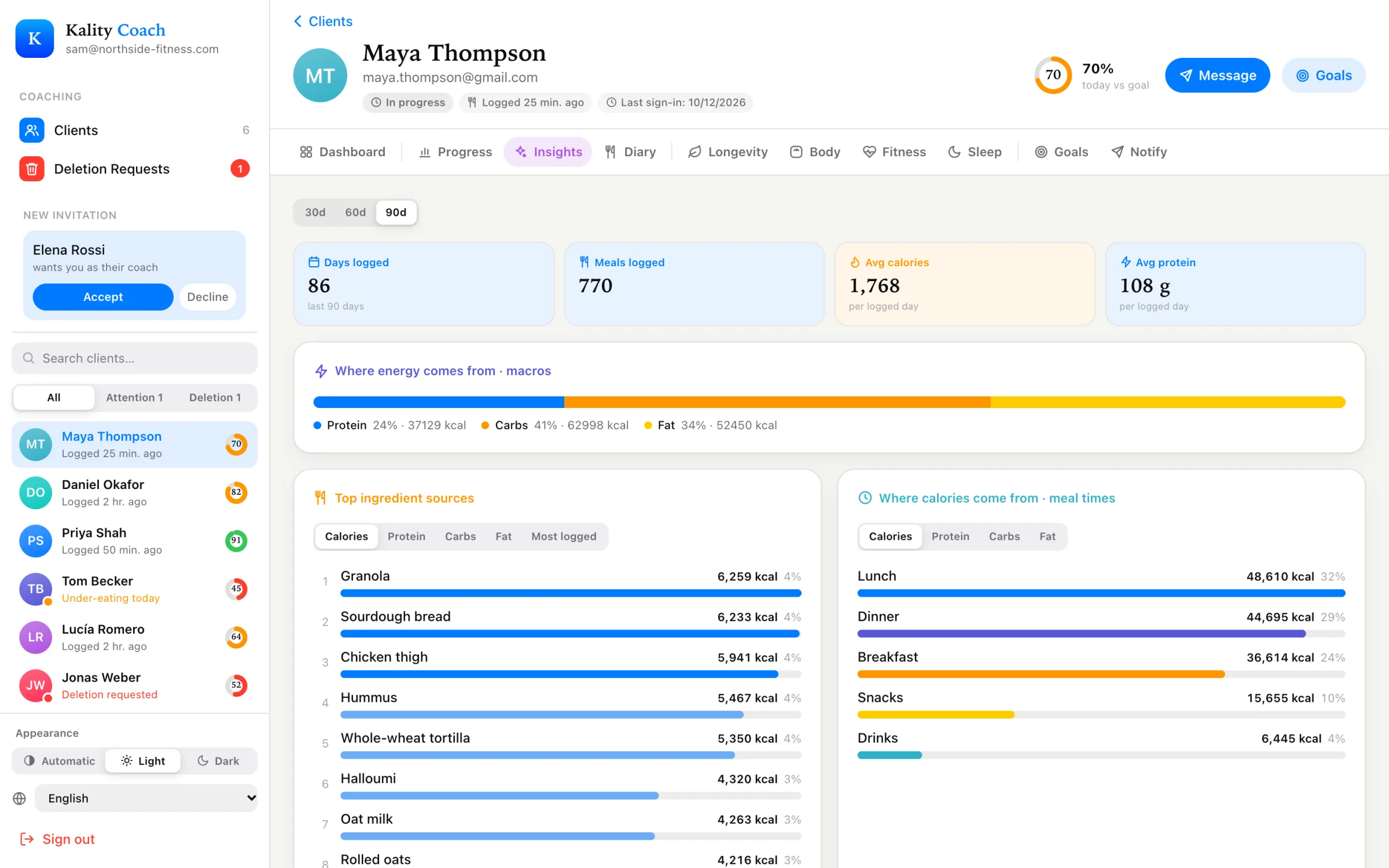
| Insights | 30, 60 or 90 days of averages, meal timing, top ingredients, how meals made them feel, vitamins and minerals to watch, days over daily limits, and supplements. |
| Longevity | Their Longevity Score, pillars sorted weakest first, and the single biggest lever to work on. |
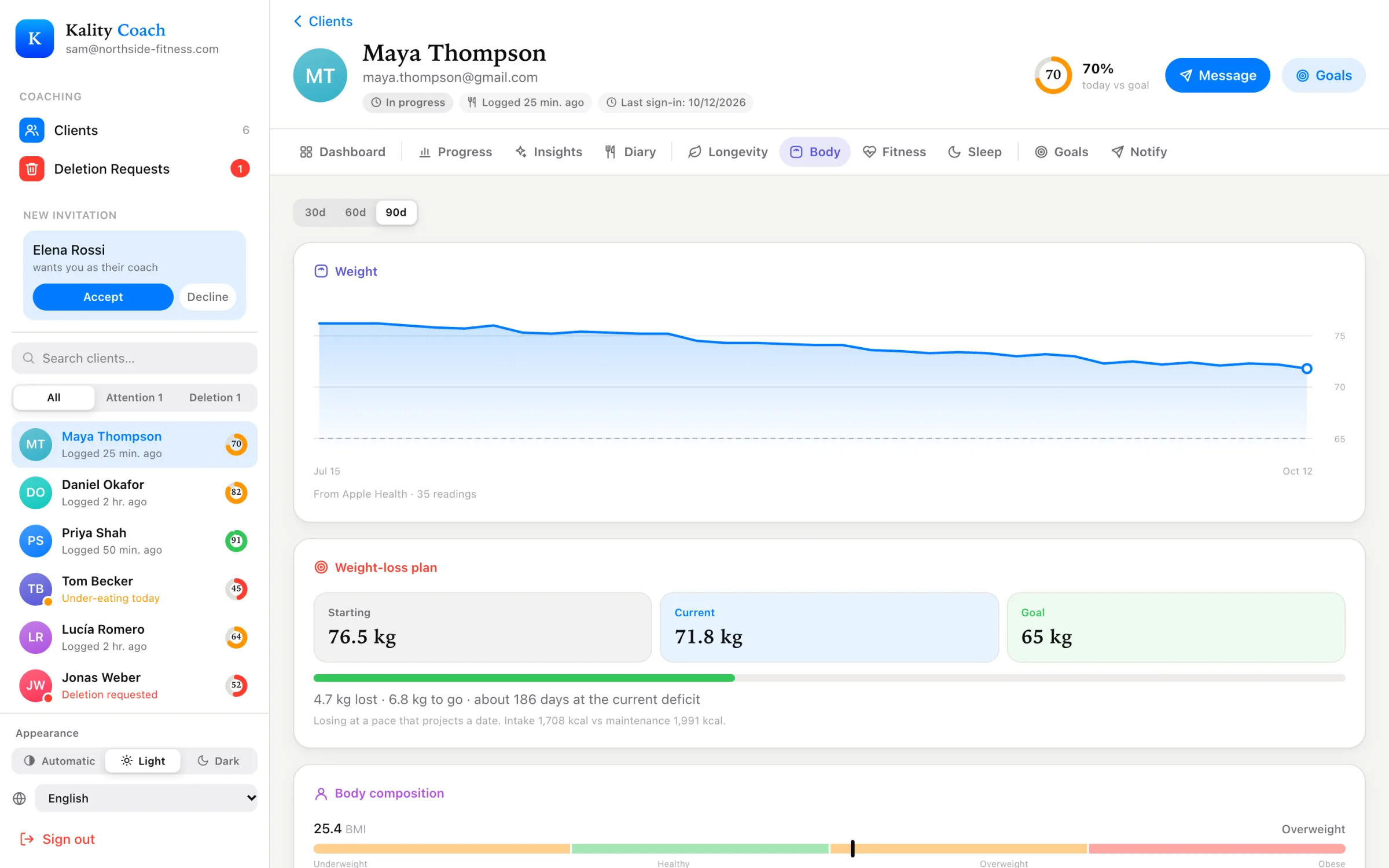
| Body | Weight, BMI, body fat and lean mass, and their weight plan. |
| Fitness | Fitness score, estimated VO₂ max, steps, workouts, sleep and resting heart rate from Apple Health. |
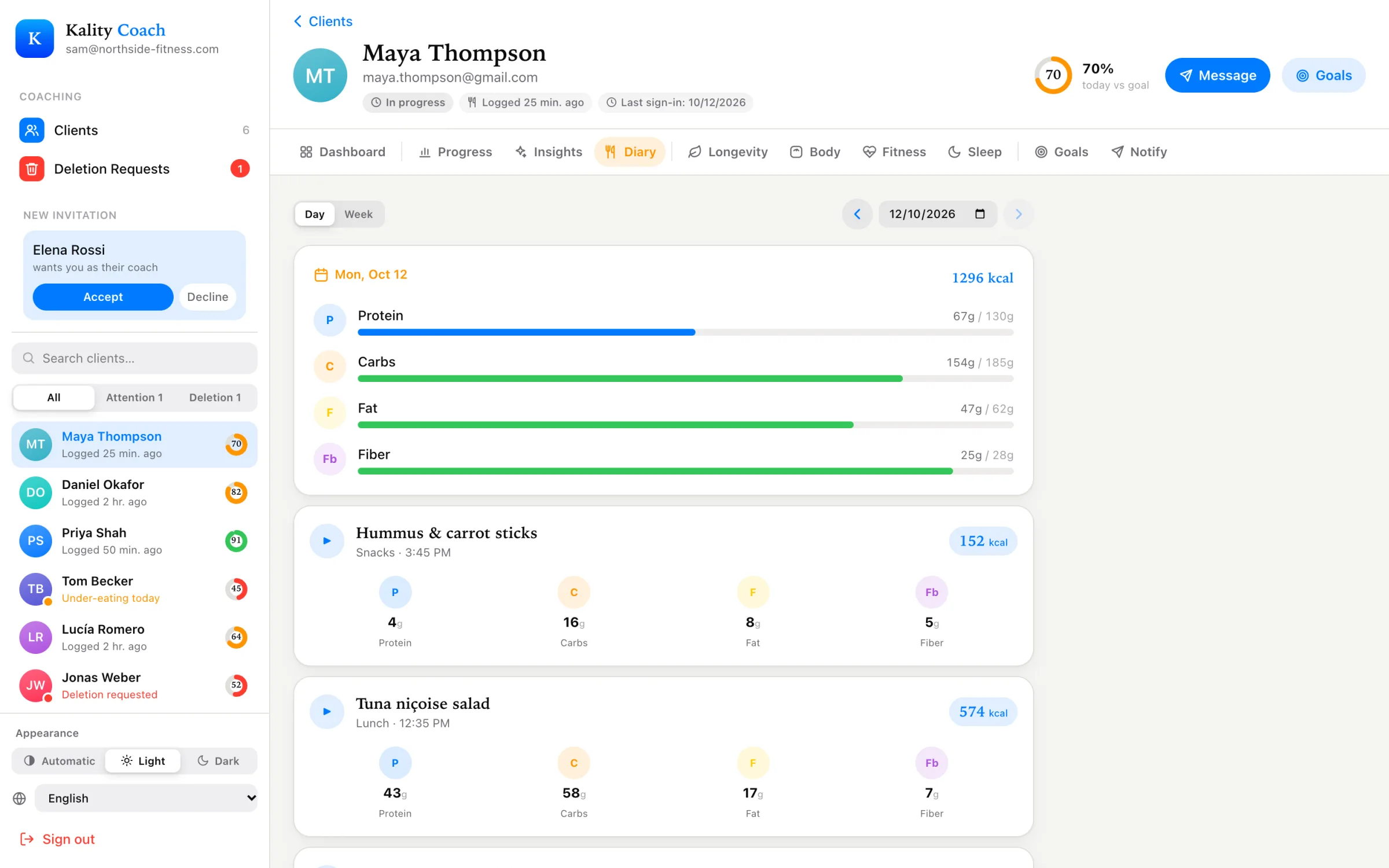
| Diary | Every meal and drink by day or week, with ingredients and portions, exactly as it appears in their app. |
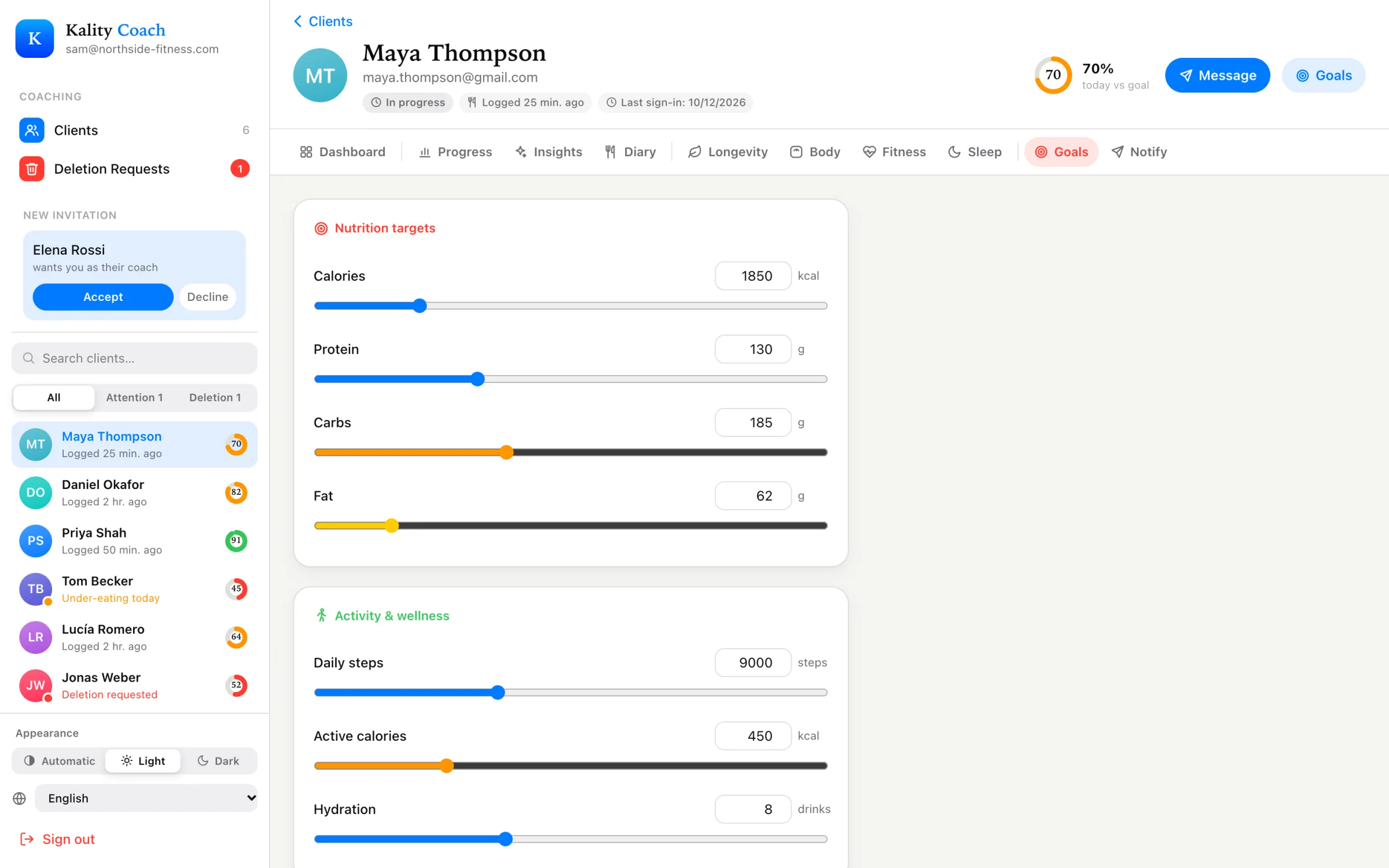
| Goals | Edit calorie, macro, step, active-calorie, hydration and micronutrient targets. |
| Notify | Send a push notification straight to their phone. |
Read the diary, not screenshots
The Diary tab mirrors the client’s app. Each meal shows the ingredients Kality identified and the portions the client confirmed, with calories and macros. You can see that “chicken salad” was 180 g of chicken, a handful of croutons and two tablespoons of Caesar dressing, instead of guessing from a photo.
Set goals from your desk
On the Goals tab you can change a client’s calories, protein, carbs, fat, daily steps, active calories and hydration, plus any of their 40 micronutrient targets, from iron to sodium to omega-3. Save, and the new goal appears on their phone in real time. No “can you update your app settings?” message needed. If you want to start over, Reset to recommended restores Kality’s defaults for their profile.
Nudge at the right moment
The Notify tab sends a push notification with your own title and message to the client’s phone. Use it for the nudges that matter at a particular time: “Big session tomorrow, make sure dinner has some carbs.” Notifications are one-way. Keep longer conversations in the channel you already use with your client.
What stays with the client
- Their meals are theirs. You can see them and change their goals, but you can’t edit or delete what they logged.
- They can disconnect at any time, and your access ends straight away.
- They can ask you to delete their data, and the request shows up in your dashboard.
More on this in what clients share and how consent works.
Getting started
Coach accounts are set up by the Kality team. Email us with your name and the kind of coaching you do, and we’ll get you set up. Then send your clients the App Store link and ask them to tap Invite your coach.
Kality gives general nutrition information, not medical advice. If you have a medical condition, are pregnant, or have a history of disordered eating, talk to a qualified health professional before changing how you eat.