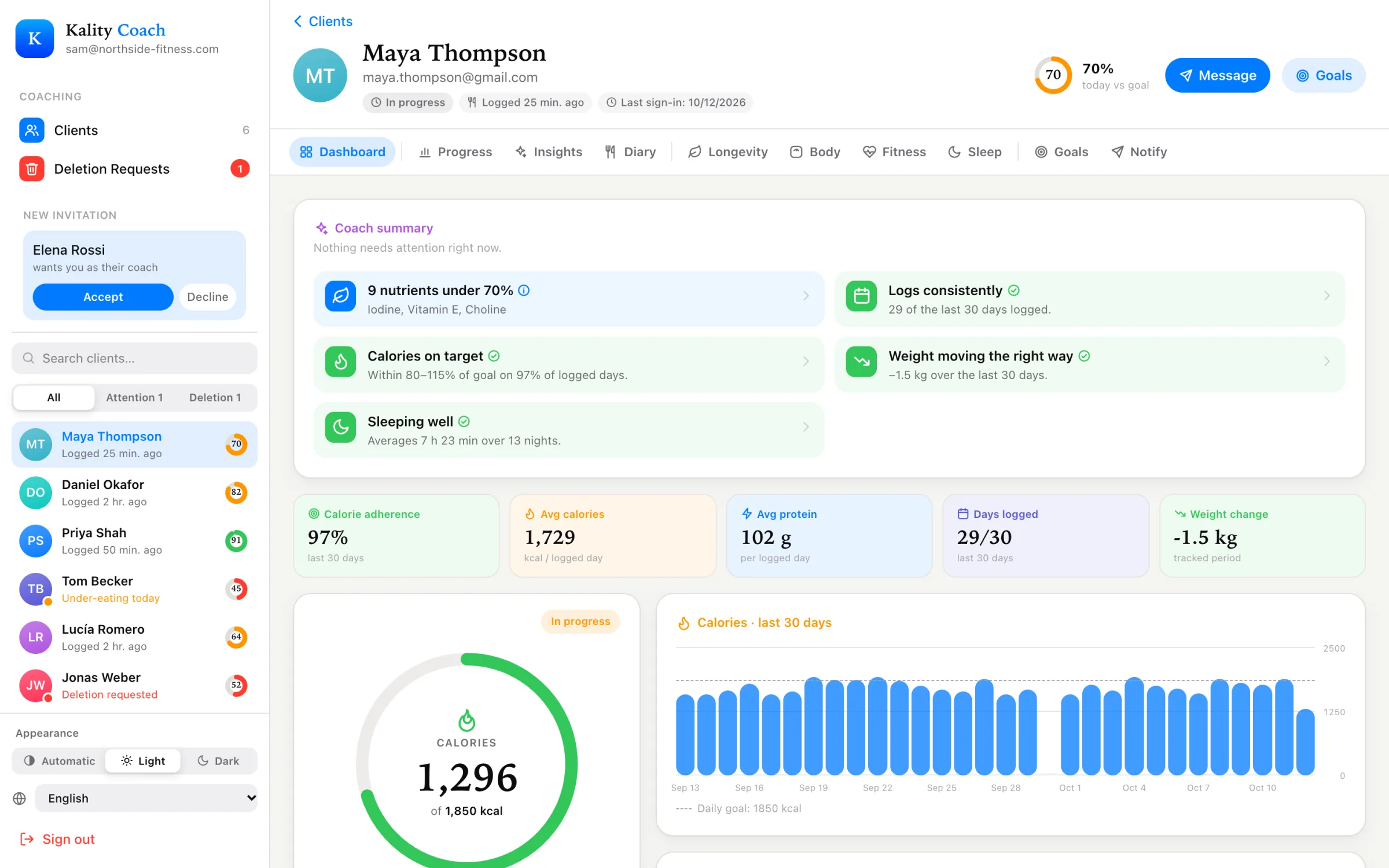
More data only helps if you have a routine for reading it. This is the order we suggest for a weekly review. It moves from “is anything wrong?” to “what’s the one thing to change?”.
1. Triage: the Attention filter (1 minute)
Start in the client list and switch to Attention. It shows everyone below 60% of today’s calorie goal. Some will simply not have logged dinner yet. Others will be under-eating or will have stopped logging. Those are the clients to open first.
2. Consistency: the Dashboard (1 minute)
Check days logged over the last 30 days before anything else. If it’s 12 out of 30, the averages aren’t telling you much yet, and the most useful conversation is about making logging easier, not about protein. Then look at calorie adherence, average calories and average protein.
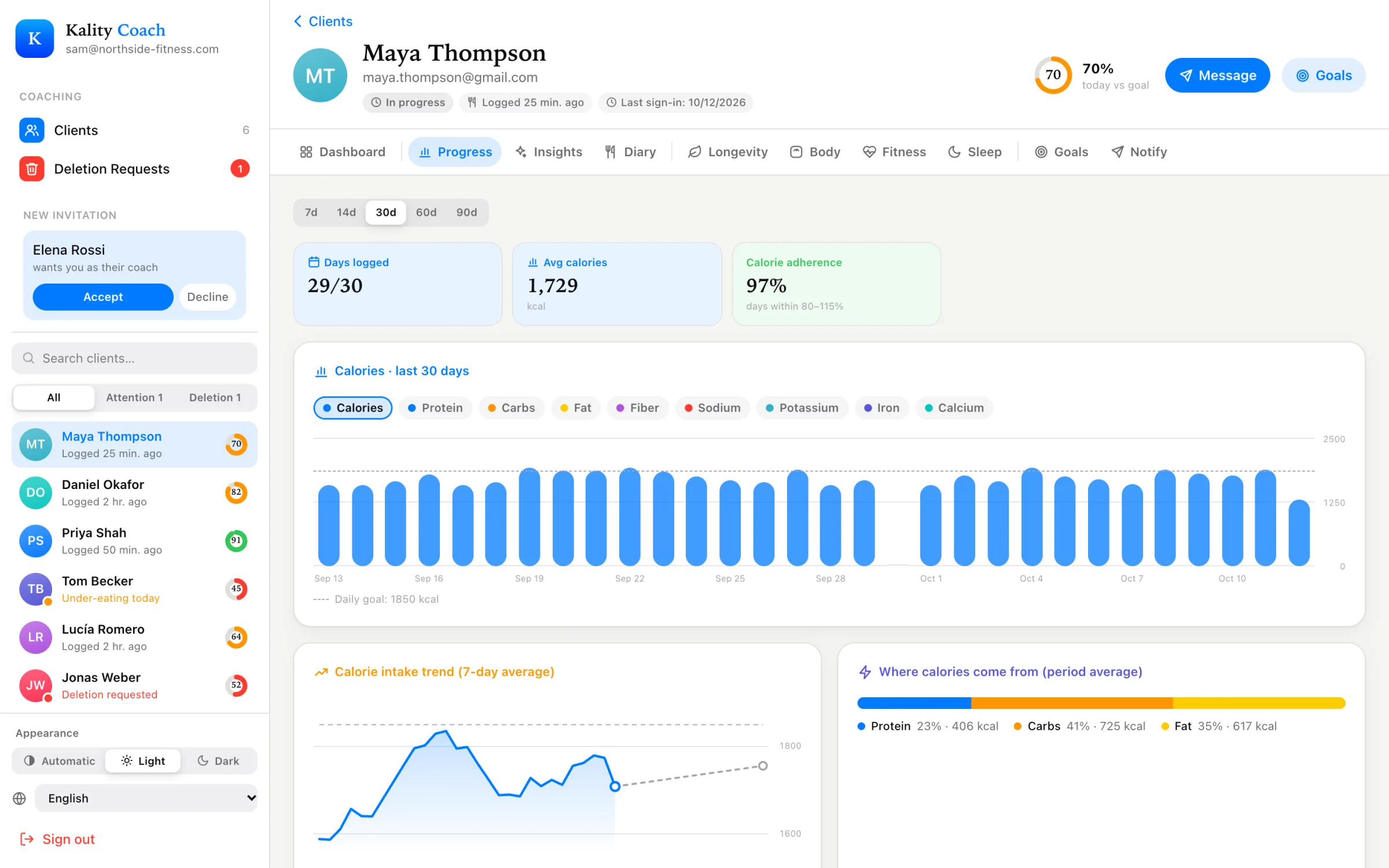
3. Trend: the Progress tab (2 minutes)
Set the range to 7 days and compare calories and macros with the goal lines. Then switch to 30 or 90 days. A single high weekend is noise. Protein that sits 30 g below target for a month is a pattern.
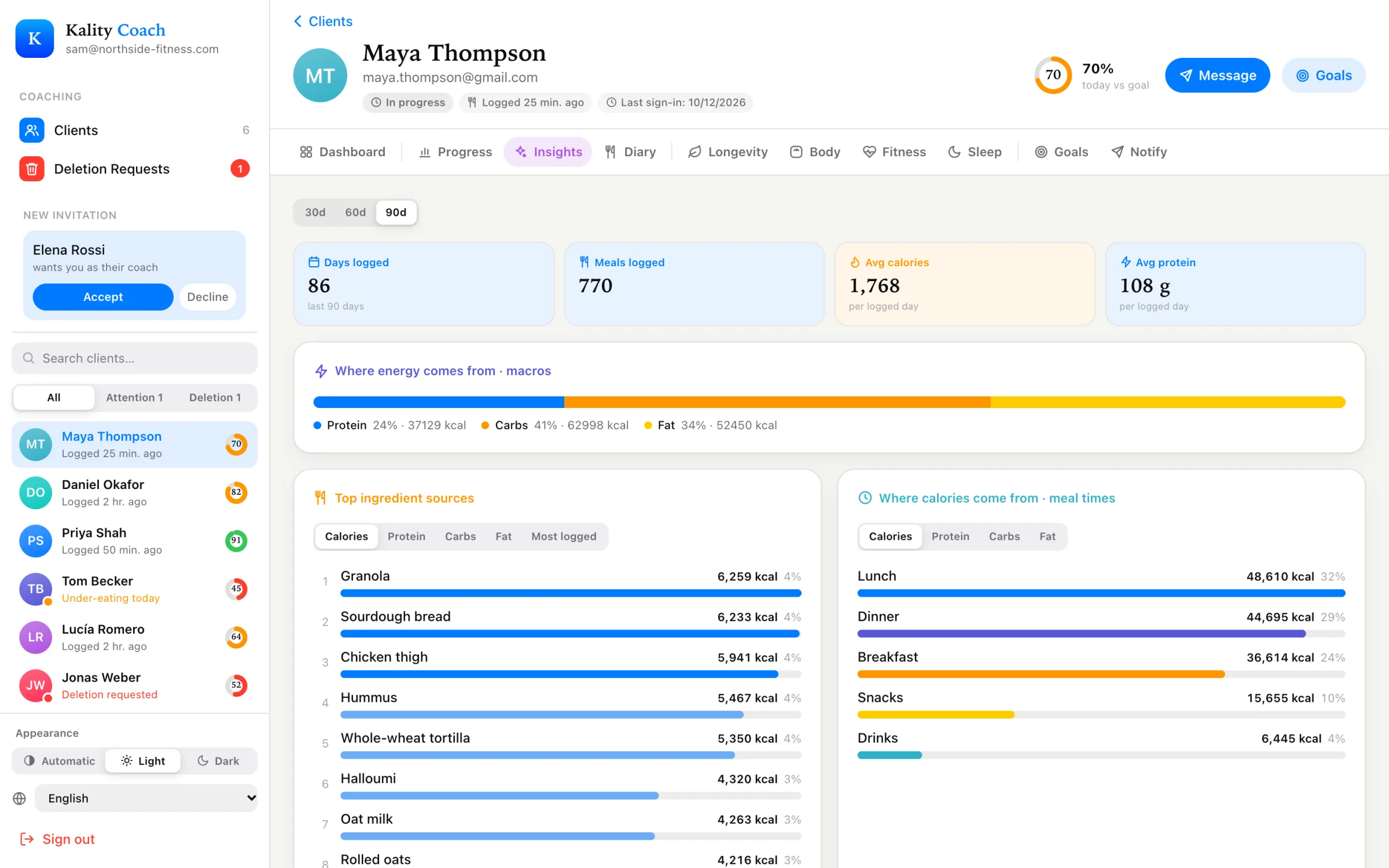
4. Gaps: the Insights tab (2 minutes)
- Vitamins & minerals to watch: anything averaging under 90% of target.
- Daily limits: how many days sodium, saturated fat or added sugar went over.
- Meal timing and top ingredients: late eating, or one food carrying the whole diet.
- How meals made them feel: useful when a client says they’re always tired or bloated.
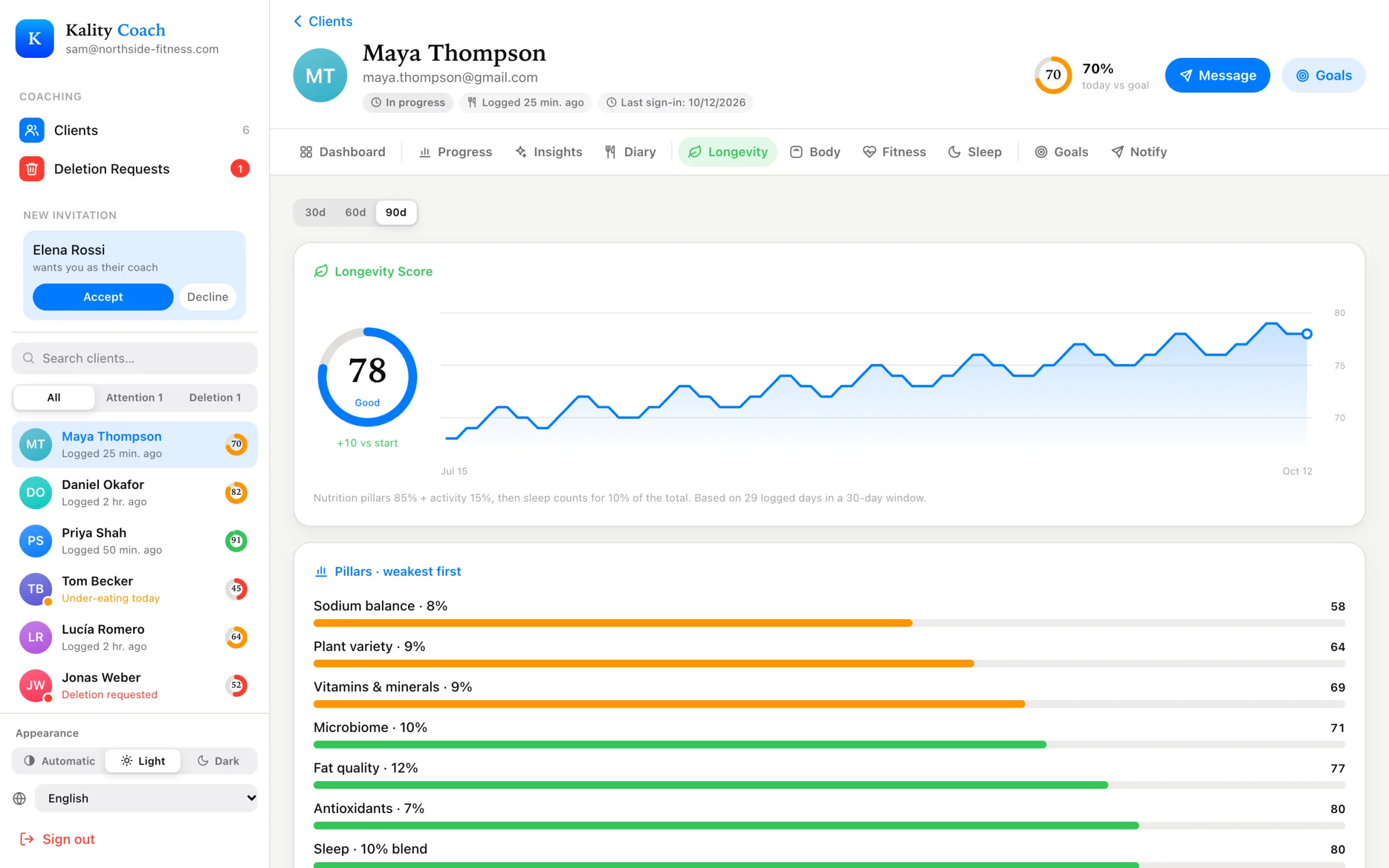
5. The long game: the Longevity tab (1 minute)
Pillars are sorted weakest first, with the biggest lever called out. If the score is marked stale because the phone hasn’t refreshed it for more than 10 days, the client probably hasn’t opened the app. That’s worth a nudge by itself.
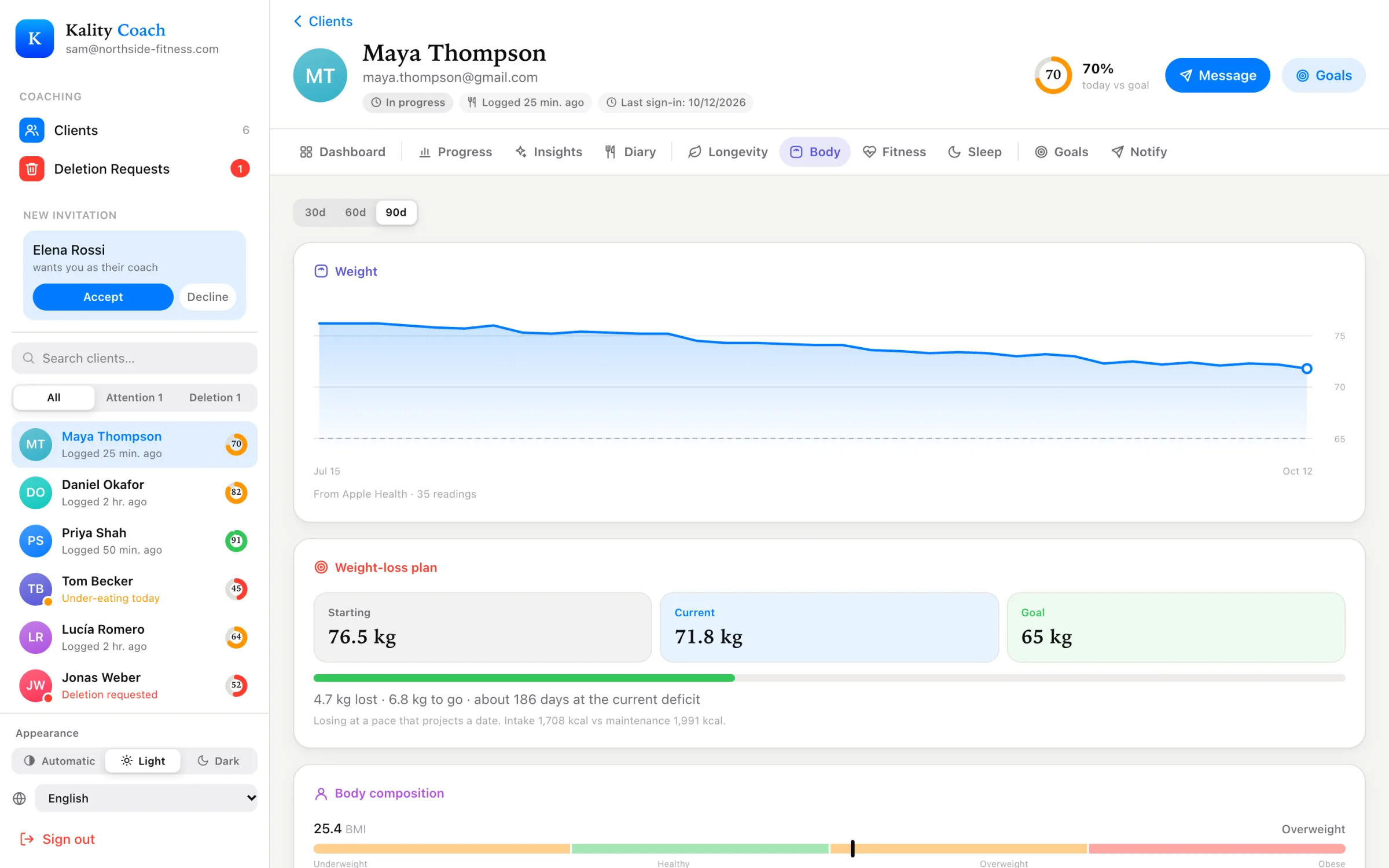
6. Outcome: Body and Fitness (1 minute)
On Body, check the weight trend and the estimated goal date. If the trend has flattened while intake looks on target, check Fitness for fewer steps, fewer workouts or shorter sleep. Sleep is shown against a 7-hour line.
7. Adjust: the Goals tab (1 minute)
Change one thing, not five. Raise protein by 15 g, lower the sodium target, or bump daily steps. It updates on the client’s phone straight away, so tell them in your next message why it changed.
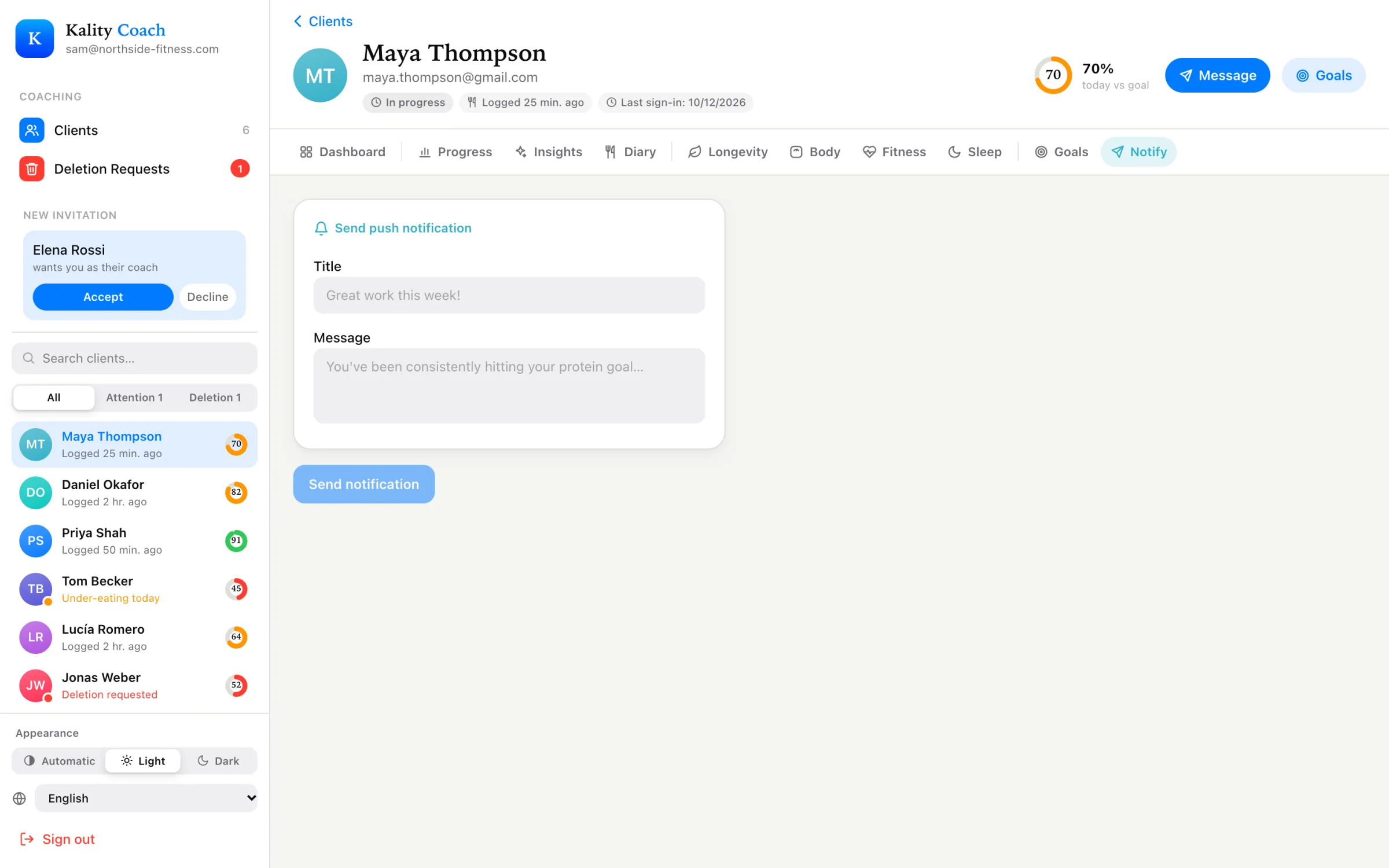
8. Nudge: the Notify tab (1 minute)
End with one push notification tied to the change. Some that work well:
- “Great week: 6/7 days logged. This week, let’s get protein into breakfast.”
- “Your step goal is now 8,000. A 15-minute walk after lunch gets you most of the way.”
- “Sodium ran high on 4 days. Try swapping one takeaway for a home-cooked meal.”
Kality gives general nutrition information, not medical advice. If you have a medical condition, are pregnant, or have a history of disordered eating, talk to a qualified health professional before changing how you eat.